
QR Scan4u
Scan QR codes and barcodes, and transfer files through screen-to-camera QR streams.
Inside the app
App screenshot
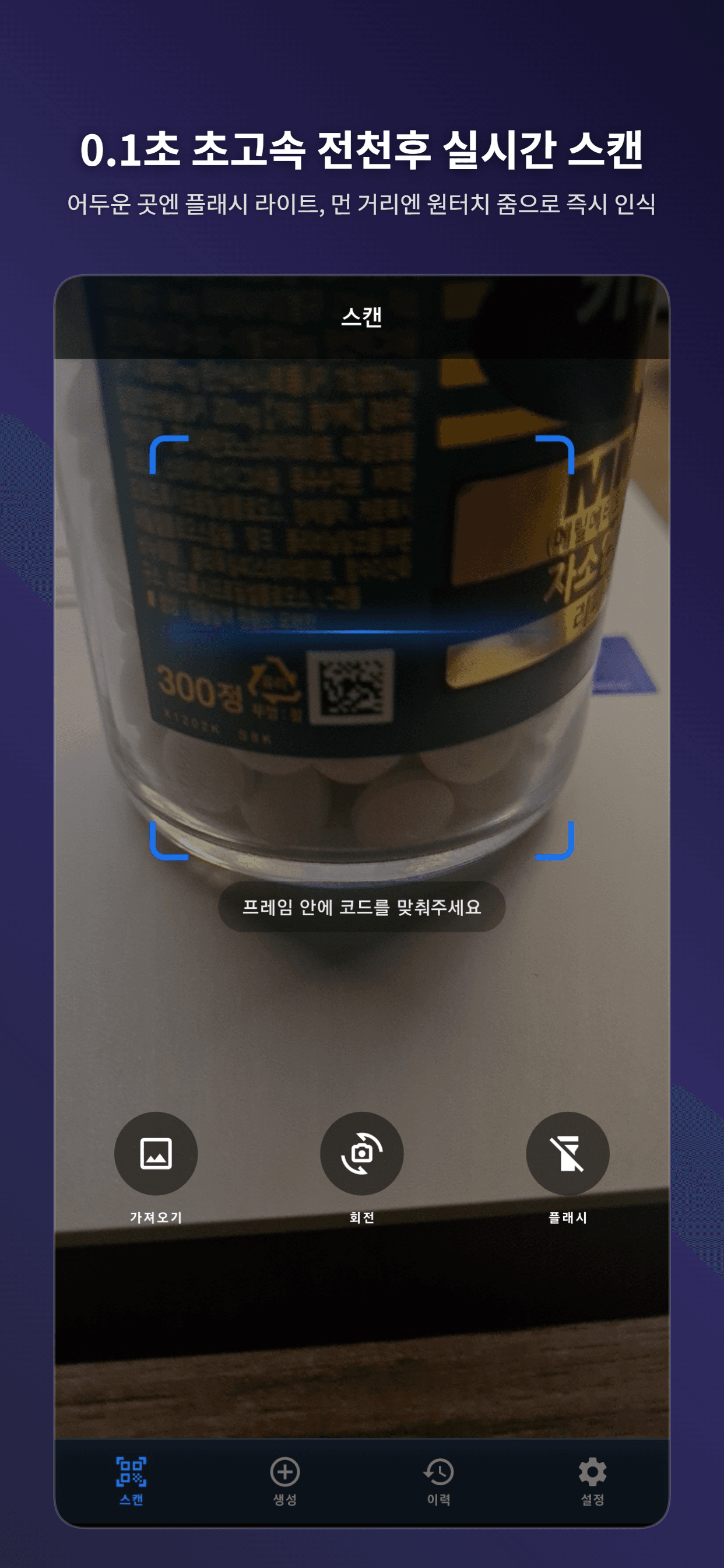
fast Real-time Live Scanner
App screenshot
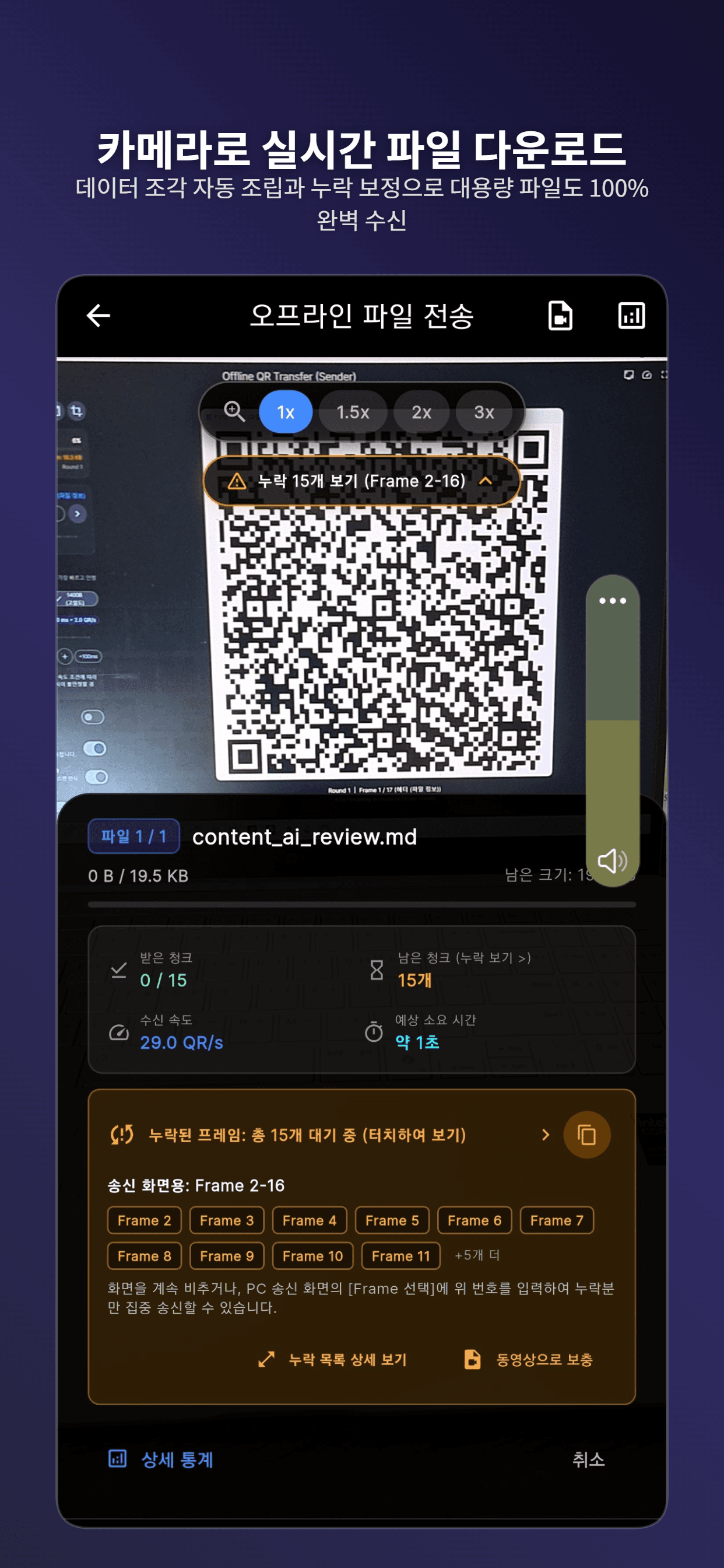
Optical Offline File Receiver
App screenshot
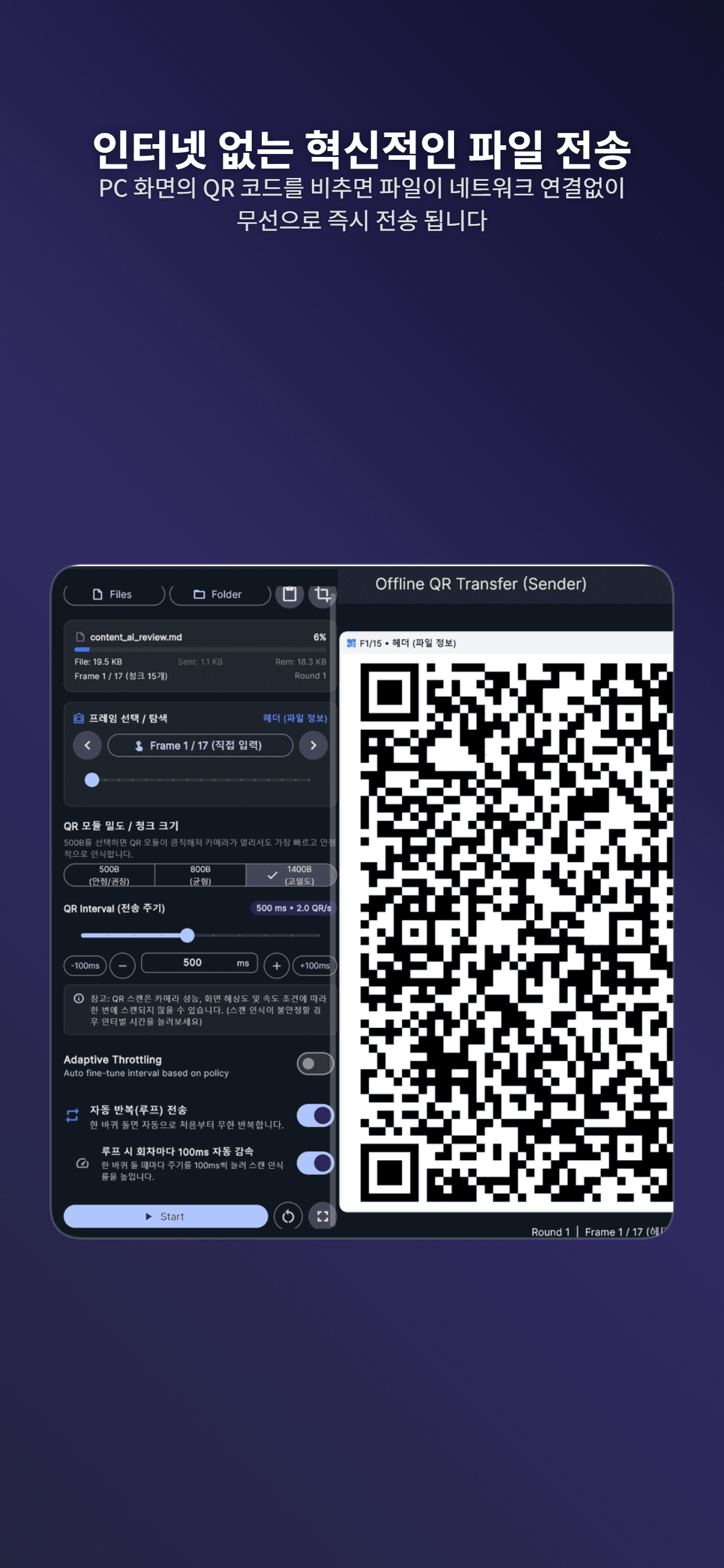
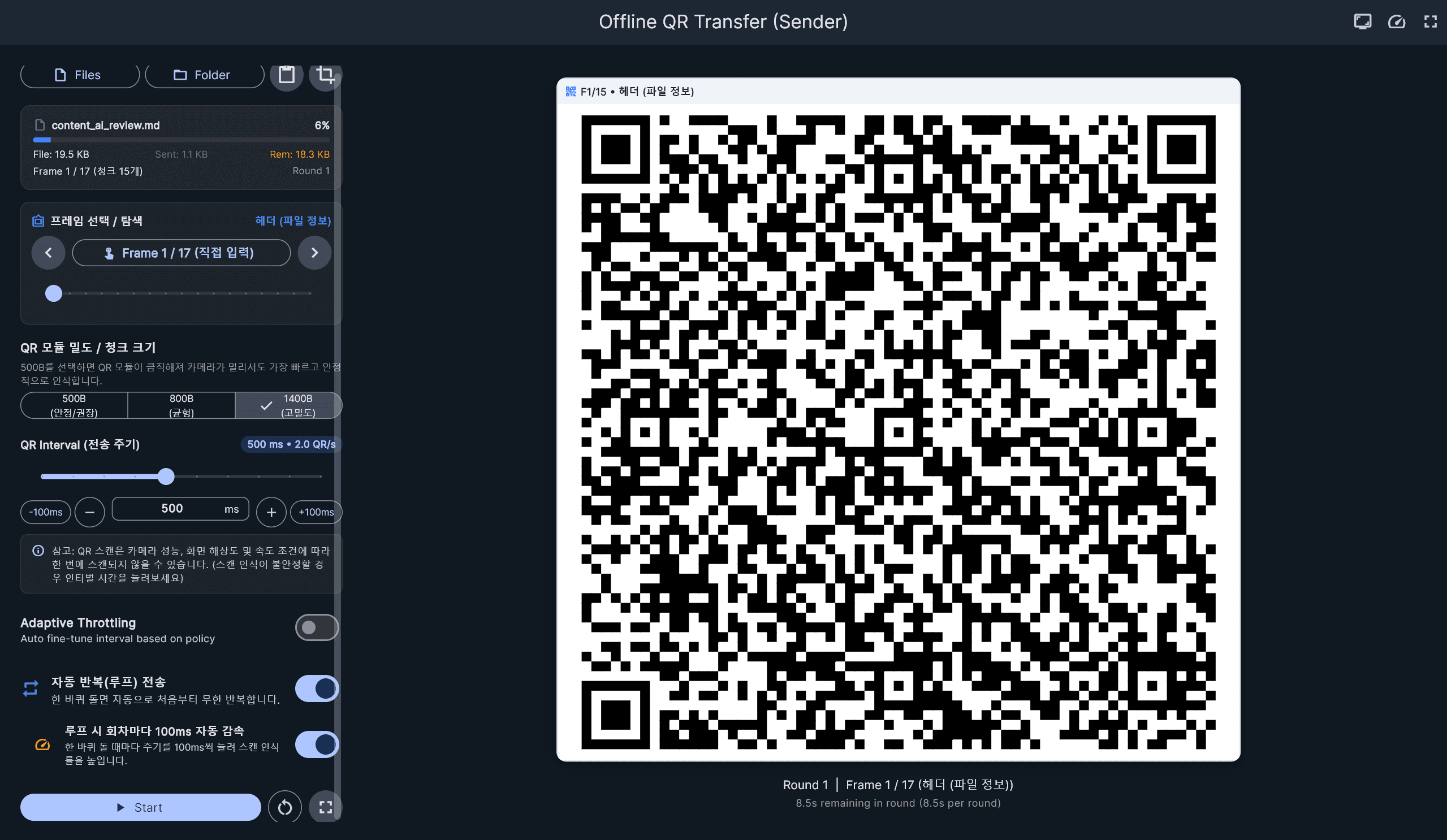
Offline QR File Sender (Mobile)
App screenshot
Windows Desktop File Sender
App screenshot
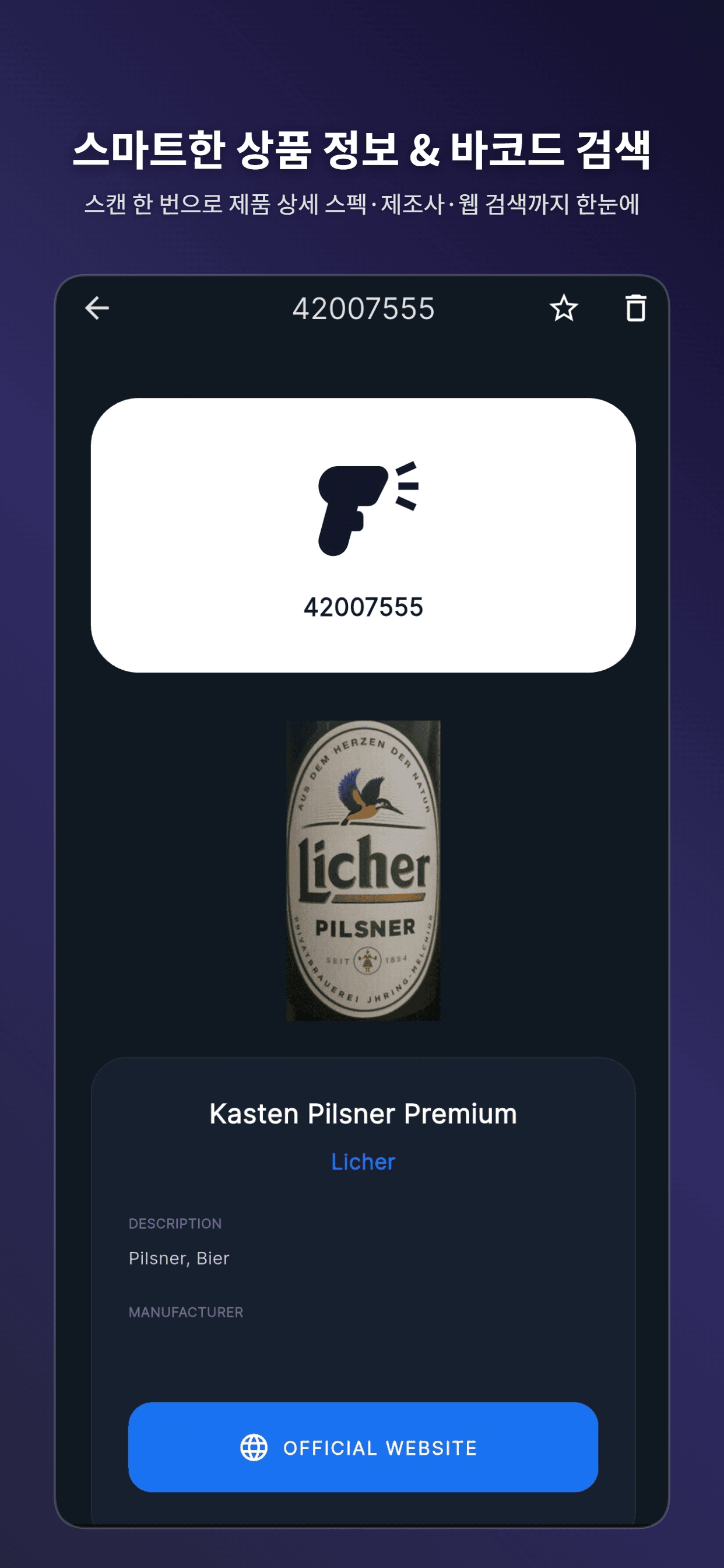
Smart Product & Barcode Lookup
App screenshot
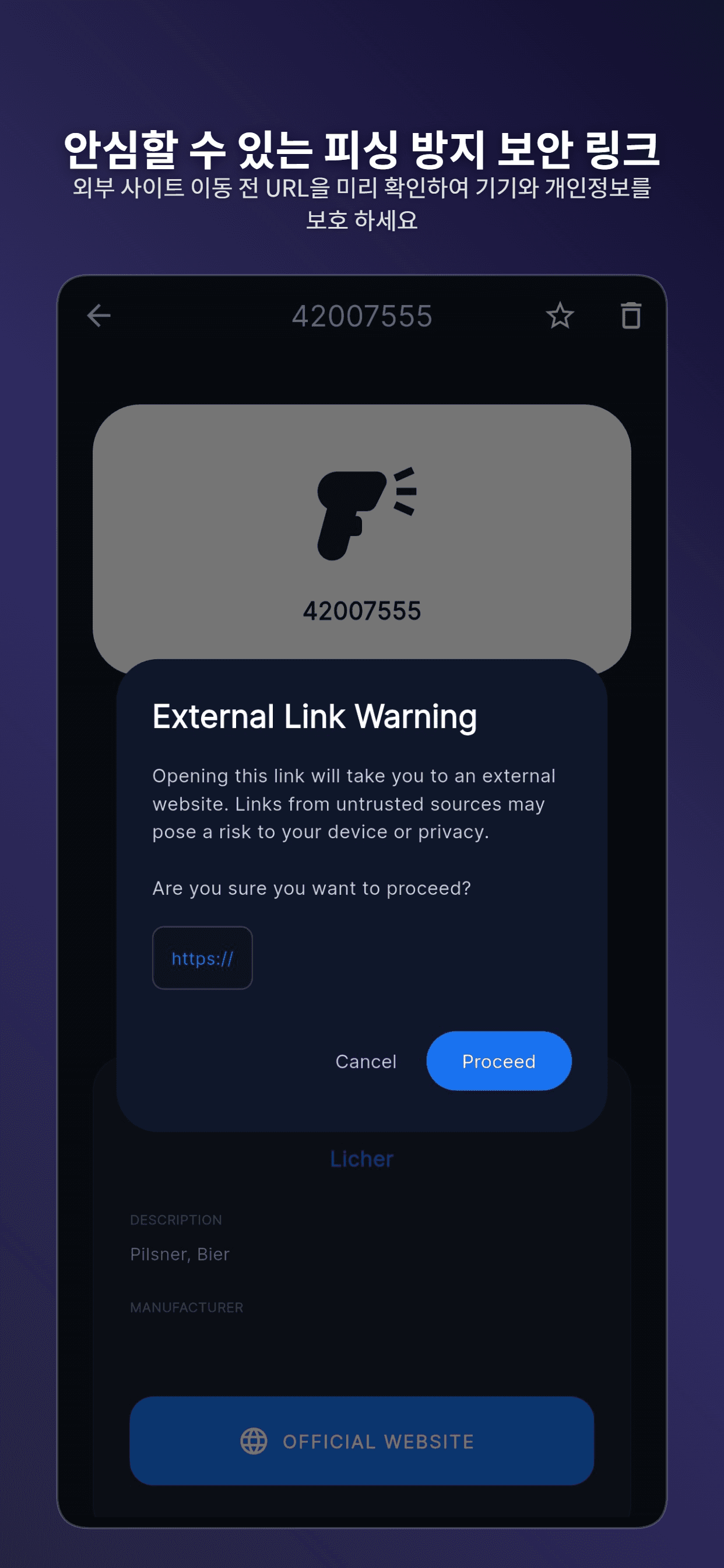
Anti-Phishing Link Shield
App screenshot
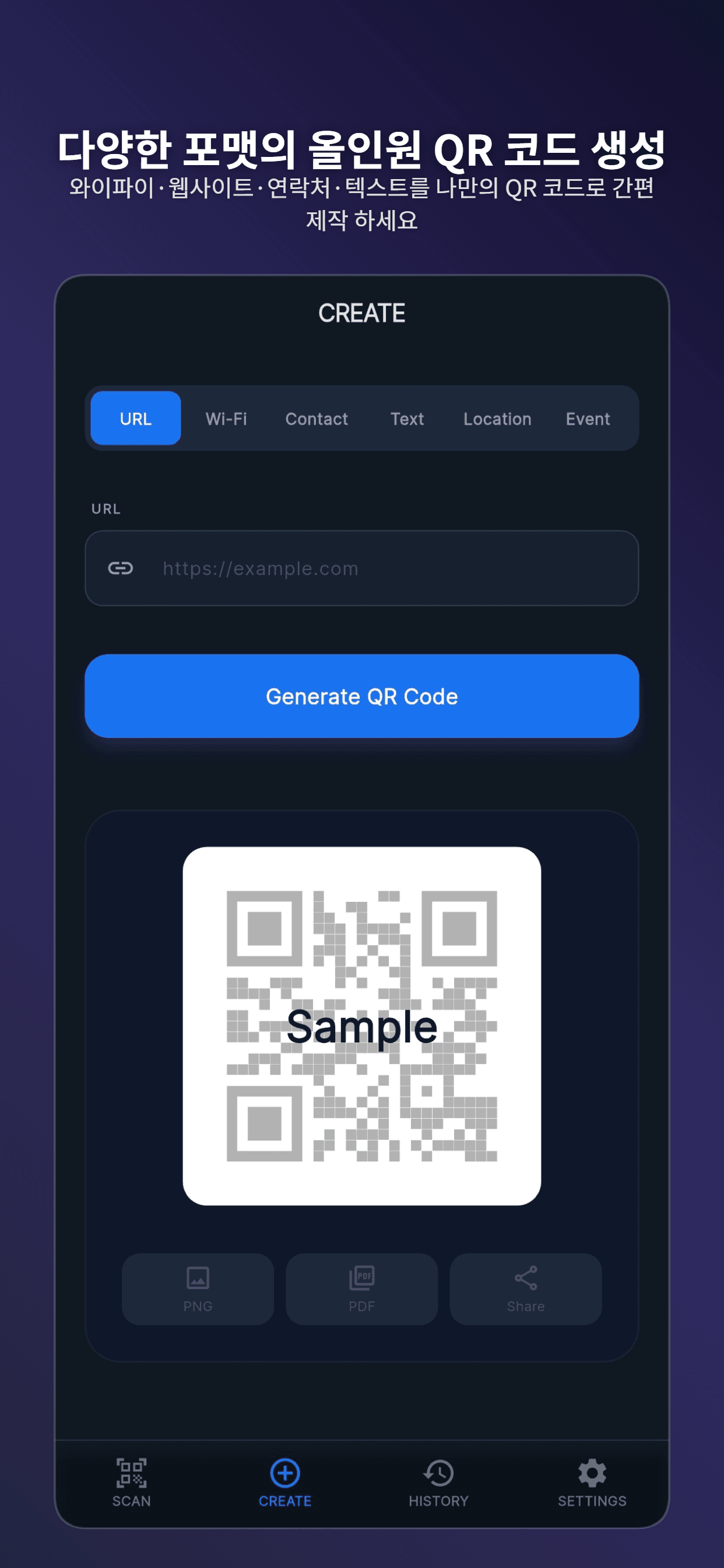
All-in-One Multi-format QR Creator
App screenshot
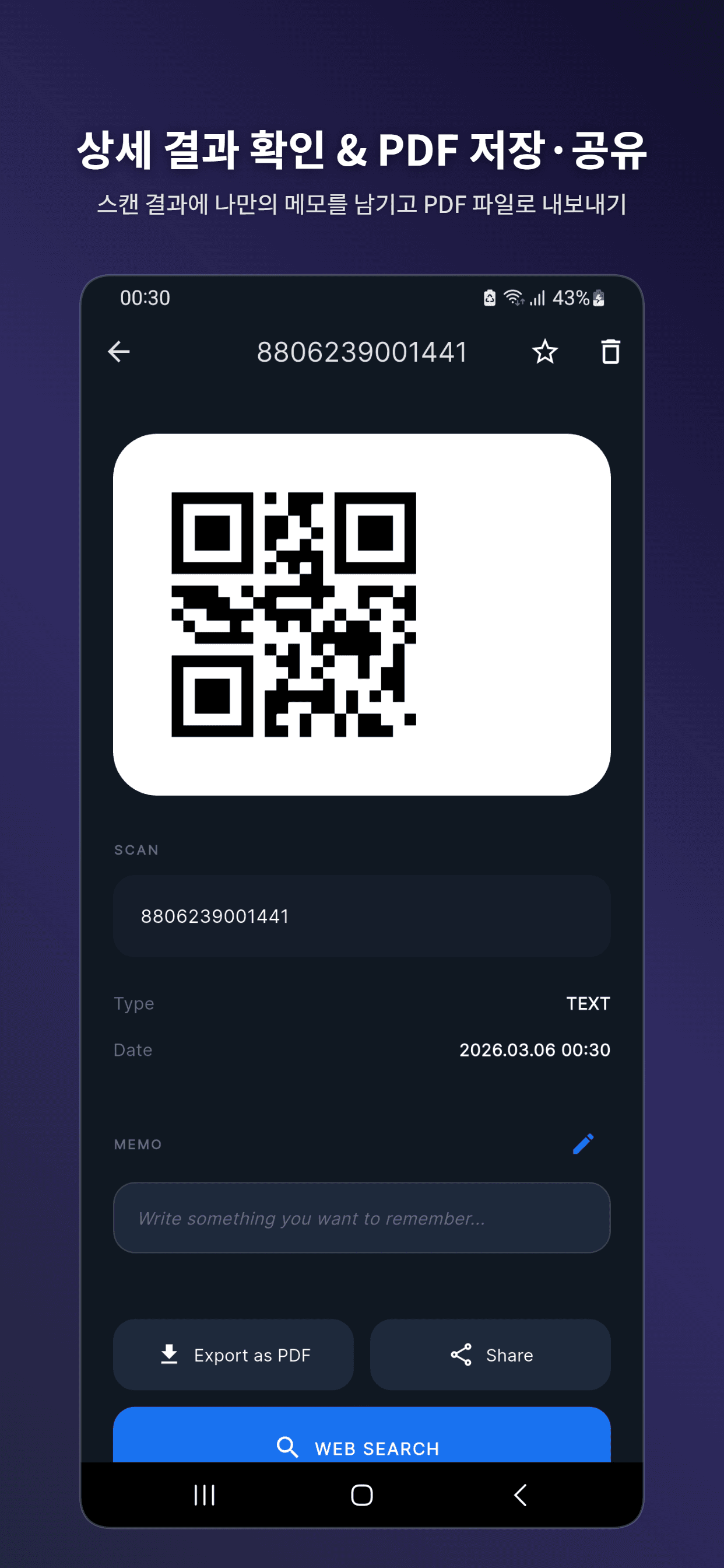
Result Detail, Memo & PDF Export
App screenshot
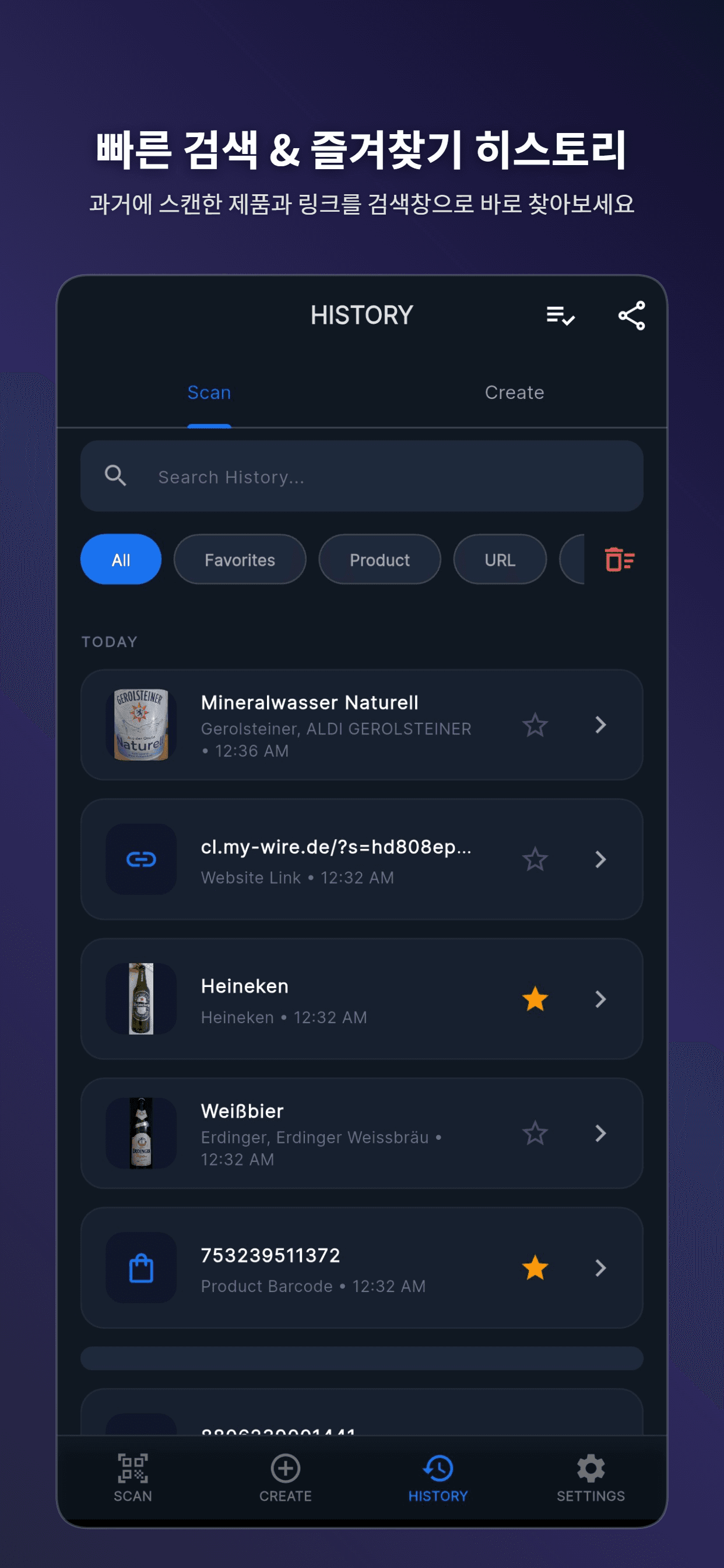
Fast Search & Favorite History
App screenshot
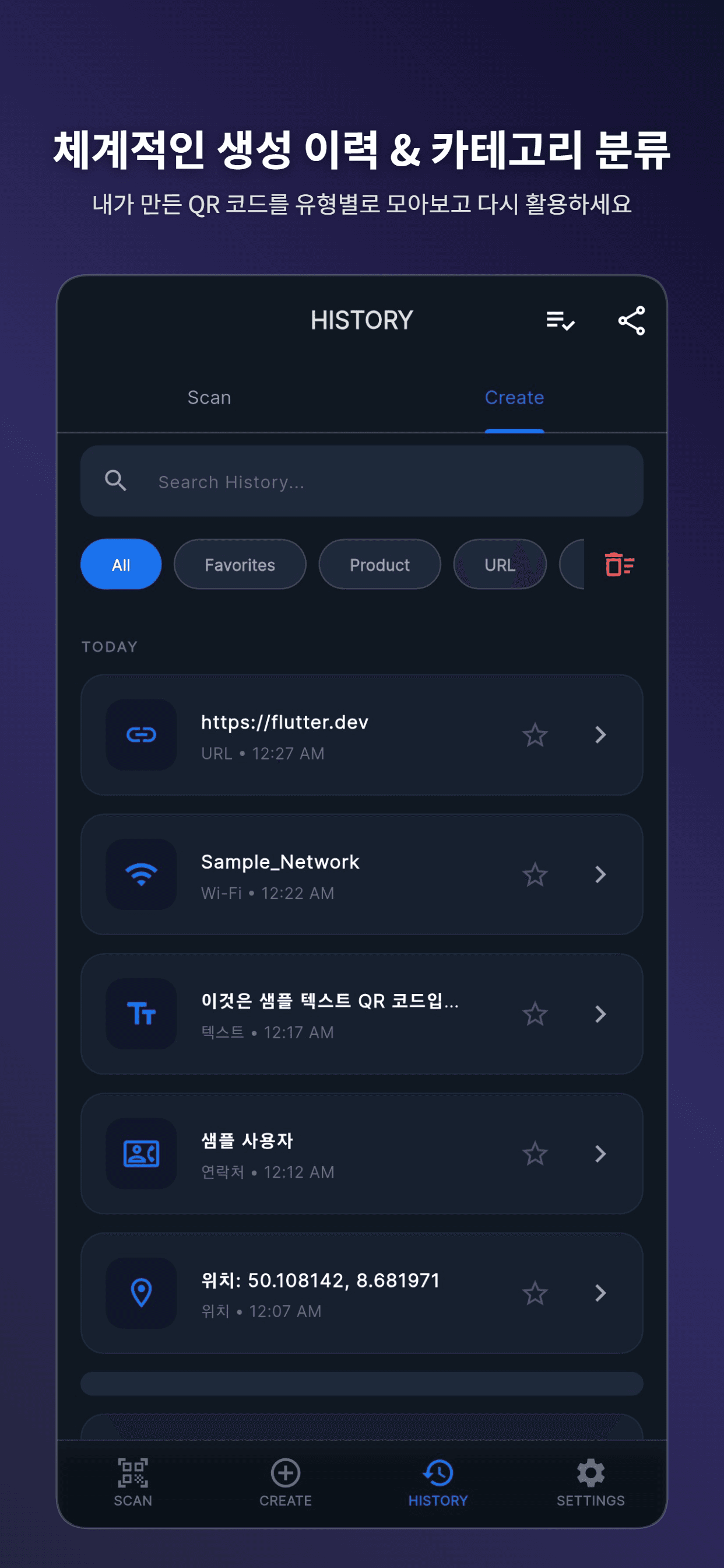
Structured History by Category
App screenshot
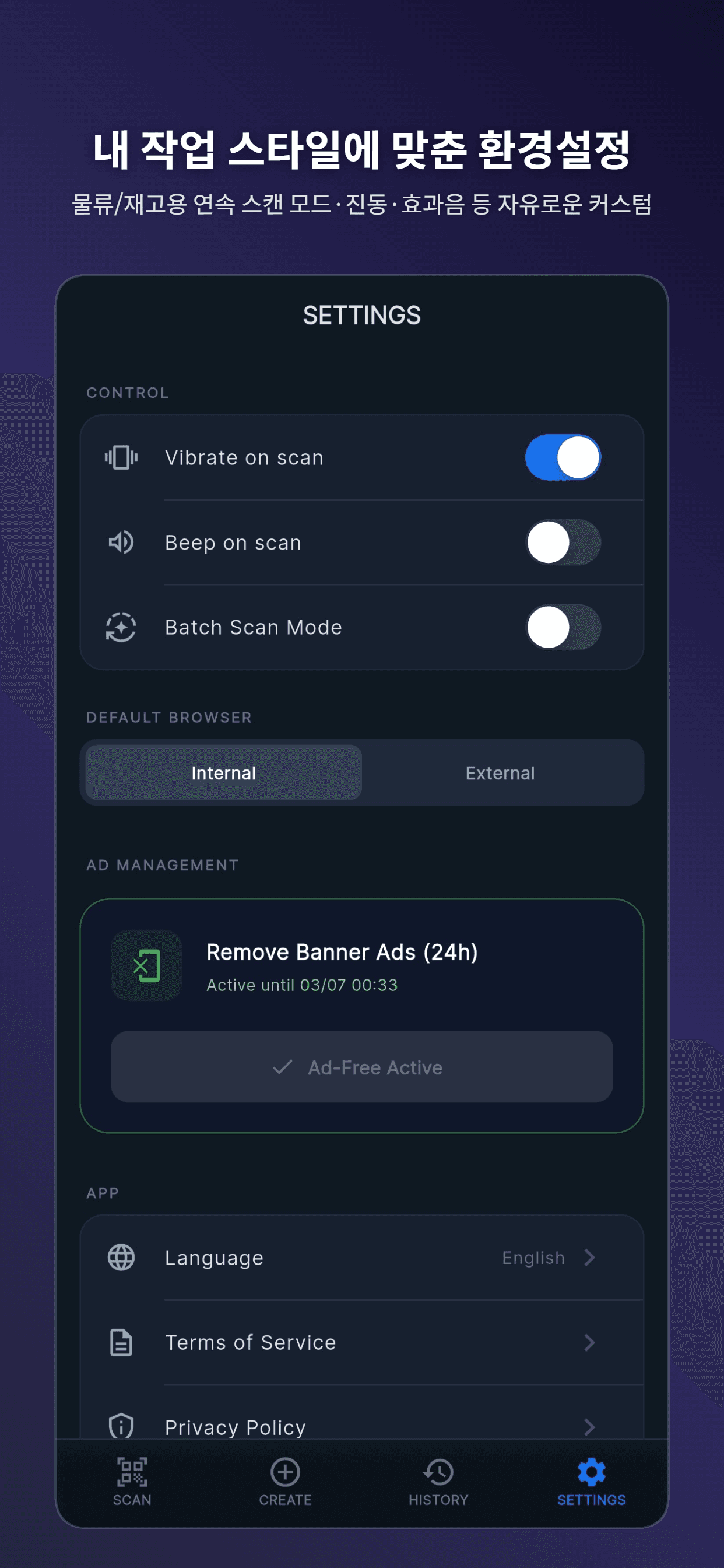
Tailored Continuous Scan Settings
Key features
Screen-to-Camera Optical File Transfer: Stream and assemble multi-file batches without internet, Bluetooth, or cables
Automatic Chunk Assembly & Missing Block Compensation for reliable checksum-verified file integrity
Camera recognition with one-touch torch, precision zoom (2x-5x), and instant lens reset recovery
Key features (9)
- Smart 1D Barcode product lookup with integrated manufacturer specs and web search
- Proactive URL Phishing Shield inspecting target domains before opening in browsers
- Custom QR generator supporting Wi-Fi configurations, vCards, URLs, SMS, and clipboard payloads
- Detailed scan inspect modal with user notes, bookmarking, and one-tap PDF report export
- Continuous batch scan mode optimized for logistics, warehousing, and inventory audits
- Searchable local history indexed by category, timestamp, and favorite tags
When to use it
Professionals, field technicians, and privacy-conscious users who need dependable industrial-grade scanning alongside secure, air-gapped file movement between desktop PCs and mobile devices.
Provide an all-in-one scanning, generation, and air-gapped optical file transfer utility that supports local data storage, responsive workflows, and optical cross-device sharing.
Before you install
Supported devices: Android · iPhone · Windows
Check the current store listing for pricing, ads and in-app purchases.
Optical transfer uses a screen and camera. Recognition depends on lighting, focus and devices.
Frequently asked questions
Which devices can I use?
Designed for the devices below. Check the download links and store listings for release status and regional availability. Android, iPhone, Windows
Where can I check pricing and purchase options?
Check the current store listing for pricing, ads and in-app purchases.
Release notes
- - Windows app and installer icons now match the mobile app icon.
- - Updated the app version to 1.0.11 (build 14).
- - Transfer files offline from Windows to Android or iPhone using on-screen QR codes.
About this product
QR Scan4u is a high-performance productivity utility combining an ultra-fast fast QR and barcode scanner with an air-gapped optical file transfer system (QFT Protocol). Beyond instant code recognition, product lookups, and anti-phishing link verification, QR Scan4u enables direct peer-to-peer file and folder transmission between Windows PCs and mobile devices (iOS/Android) purely through screen-to-camera animated QR streams—requiring zero Wi-Fi, Bluetooth, cellular data, or server mediation.
Technology and build story
- Built with Flutter & Dart for unified cross-platform performance across Windows, iOS, and Android
- Proprietary QFT (Quick File Transfer) optical streaming protocol with dynamic byte chunking and CRC32 verification
- Real-time camera frame analysis pipeline with hardware-accelerated decoding and focus management
- Ultra-fast embedded Isar database for fast local history querying and state persistence
- Windows distribution engineered with Inno Setup for smooth installer and portable zip deployment
Future improvements
- Bidirectional optical camera-to-screen feedback channel for dynamic baud-rate optimization
- Direct desktop-to-desktop webcam file streaming
- Hardware barcode scanner HID keyboard wedge integration on Windows